
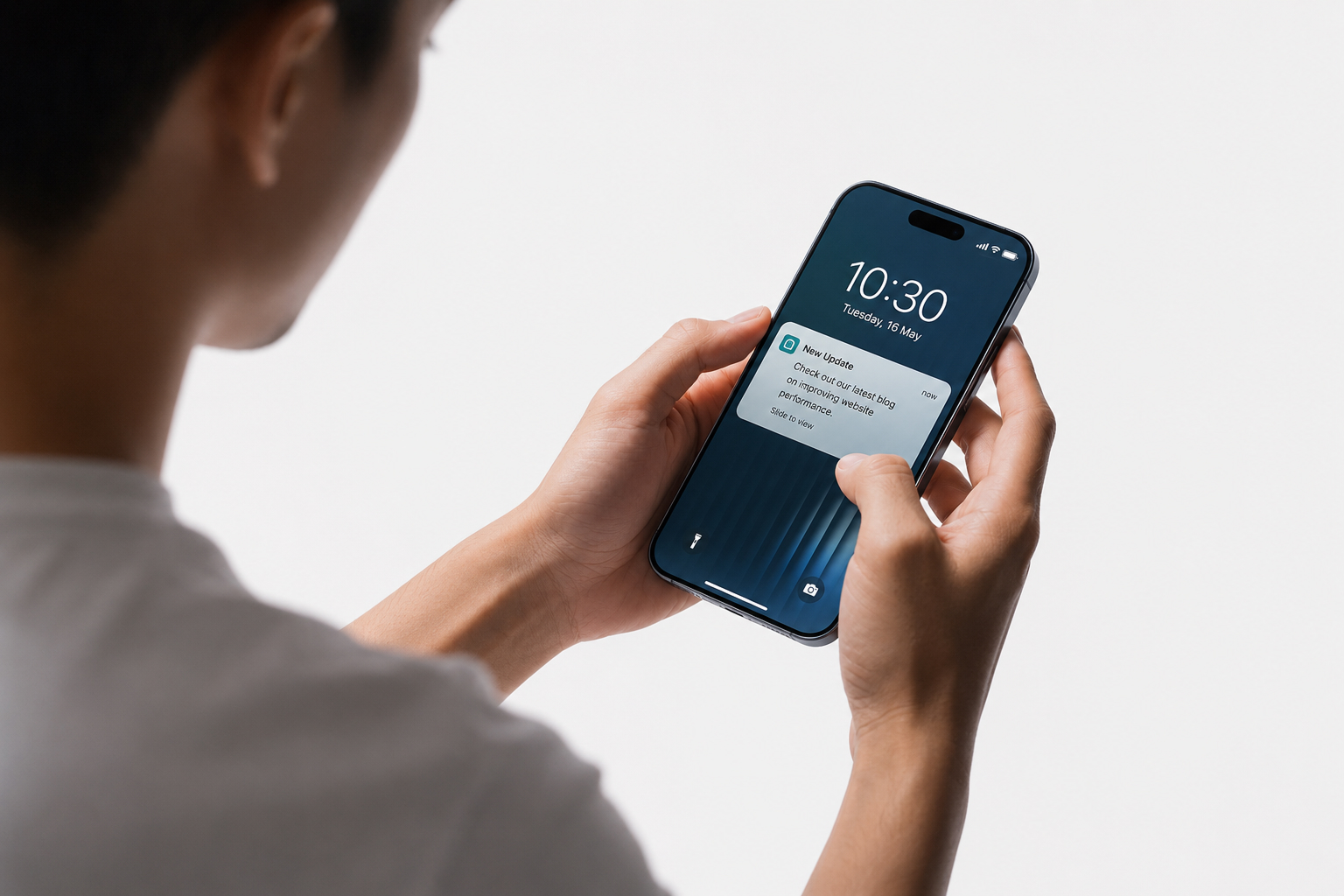
Implementing Push Notifications for Retention & Conversion
Most website visitors leave and never return. They browse products, read articles, compare services, start enquiries, or add items to a cart — but many disappear before taking action. For businesses, this means lost sales opportunities, lower customer retention, and a constant need to spend more on advertising just to bring people back.
Implementing push notifications gives your business a direct, permission-based way to reconnect with users instantly, even when they are no longer actively browsing your website. Whether you run an eCommerce store, SaaS platform, membership website, media publication, service business, or customer portal, a well-planned push notification strategy can help improve engagement, recover lost opportunities, increase repeat visits, and drive more conversions.
Unlike email marketing, push notifications do not compete inside a crowded inbox. Unlike social media, they are not dependent on algorithms. Unlike paid ads, you are not paying again to reach a visitor who has already shown interest. The challenge is not simply installing a push notification plugin or platform. The real challenge is implementing push notifications in a way that feels useful, timely, relevant, and measurable.
At Swart Digital, we help businesses plan, implement, integrate, and track push notification systems that support retention, conversions, customer experience, and long-term growth.
The best push notification systems do not send more messages. They send the right message to the right user at the right time.
Ready to turn more visitors into returning customers?
If your website, store, portal, or platform already attracts visitors, push notifications can help you bring the right users back at the right moment.
Our team helps businesses implement custom business systems, integrations, automation, and conversion-focused notification journeys that support measurable growth.
Why Implementing Push Notifications Matters
Customer attention is becoming harder and more expensive to earn.
Email inboxes are crowded. Social media reach is unpredictable. Paid advertising costs continue to rise. Website visitors often need more than one touchpoint before they enquire, buy, subscribe, or return.
Push notifications give businesses a direct communication channel that can reach users instantly after they have opted in.
When implemented correctly, push notifications can help your business:
- Increase engagement: Send useful updates, reminders, offers, content recommendations, and cart nudges when users are most likely to respond.
- Improve retention: Bring users back after their first visit and keep your brand top-of-mind without relying only on email or paid ads.
- Recover lost revenue: Reconnect with users who abandon carts, browse products, leave enquiries incomplete, or go inactive.
- Drive repeat purchases: Promote restocks, replenishment reminders, limited-time offers, and product launches to users who have already shown interest.
- Improve customer experience: Send helpful transactional updates such as order confirmations, appointment reminders, ticket updates, account alerts, and delivery notifications.
- Measure impact: Track clicks, user actions, conversions, and revenue using GA4 events, UTM parameters, and platform reporting.
The difference between high-performing push notifications and notifications that users block forever usually comes down to three things: permission timing, message relevance, and frequency control.
Push done properly feels helpful. Push done badly feels intrusive.
That is why implementation strategy matters.
Types of Push Notifications (Web, App, Desktop, Transactional)
Different businesses need different types of push notification systems. The right solution depends on your website, platform, customer journey, available data, and business goals.
Web Push Notifications
- Delivered through supported web browsers on desktop and mobile devices.
- No app download is required.
- Useful for eCommerce stores, blogs, publishers, membership websites, lead-generation websites, and service businesses.
- Can be used for cart recovery, new content alerts, promotional campaigns, product updates, and customer re-engagement.
App Push Notifications
- Sent through installed mobile applications on iOS and Android.
- Can support richer interactions, media, deep links, user actions, and personalised app journeys.
- Best suited to businesses with a dedicated mobile app or platform experience.
Desktop Notifications
- Useful for SaaS products, internal dashboards, B2B portals, customer platforms, and operational systems.
- Ideal for time-sensitive updates such as task alerts, support updates, system activity, and account notifications.
Transactional & Trigger-Based Push Notifications
- Sent automatically based on user behaviour, system events, customer lifecycle stages, or operational triggers.
- Examples include order confirmations, shipping updates, invoice alerts, appointment reminders, login warnings, trial expiry reminders, stock alerts, and support ticket updates.
For most businesses, the strongest results come from combining promotional push notifications with behavioural and transactional triggers.
Push Notification Tech Stack & Delivery Options
A push notification system may look simple from the outside, but the setup behind it needs to be planned properly.
For web push notifications, the browser creates a subscription that allows your server or notification platform to send messages securely to that user’s device. Delivery is often handled through services such as Firebase Cloud Messaging or through managed push notification platforms.
The right implementation depends on whether you need a quick launch, advanced segmentation, custom triggers, deep analytics, or integration with existing business systems.
- Managed platforms: Faster to launch and often include built-in segmentation, campaign tools, templates, and reporting. Examples include OneSignal and Firebase-based setups.
- Custom builds: Better for businesses that need full control over triggers, data handling, user preferences, compliance, dashboards, and integration logic.
- Hybrid implementations: A practical option where delivery is handled through a reliable platform while events, triggers, segmentation, and analytics are customised around your business systems.
For system-to-system event triggers such as “paid invoice”, “back in stock”, “new support ticket”, “order dispatched”, “quote accepted”, or “trial ending soon”, we typically integrate through secure endpoints, webhooks, and API workflows.
See our API Development and Integration services if your push notification strategy needs to connect with WooCommerce, CRM software, ERP systems, booking platforms, customer portals, or internal dashboards.
Consent, Compliance & Best Practices
Push notifications should always be implemented with consent, transparency, and user control.
Users should understand what they are signing up for, why it is useful, how often they may receive notifications, and how they can opt out.
At Swart Digital, we implement push notification systems with privacy-aware consent flows, clear opt-in messaging, and preference-focused user journeys. Consent is not just a compliance requirement. It is the foundation of trust, deliverability, and long-term performance.
Permission Prompt Timing
- Do not ask too early: Prompting users the moment they land on your website often leads to low opt-in rates and immediate rejection.
- Ask after a value moment: A user is more likely to opt in after viewing a product, starting checkout, reading useful content, creating an account, or choosing to receive updates.
- Use a soft prompt first: Explain the benefit before triggering the browser’s native permission prompt.
Frequency Capping & Relevance
- Set sensible sending limits, especially for promotional notifications.
- Separate transactional notifications from marketing notifications.
- Segment users based on behaviour, lifecycle stage, interests, location, purchase history, or intent.
- Avoid sending the same message to everyone unless it is genuinely relevant to all users.
- Make every push notification earn the interruption.
Transparency & Control
- Explain what users will receive before asking for permission.
- Give users a clear way to unsubscribe or manage preferences.
- Avoid misleading prompts, forced opt-ins, or manipulative wording.
- Keep messaging aligned with GDPR, POPIA, and relevant privacy principles.
Push notifications work best when users feel in control.
High-Impact Use Cases by Industry
Push notifications can support many types of businesses, but the strongest use cases usually connect directly to revenue, retention, customer service, or user experience.
- Retail & eCommerce: Abandoned cart recovery, browse abandonment, restock alerts, price drop notifications, flash sales, replenishment reminders, shipping updates, and order status messages.
- Service businesses: Appointment reminders, quote follow-ups, enquiry nudges, booking confirmations, and customer update notifications.
- Media & publishing: Breaking news, personalised content alerts, weekly digests, author updates, and subscription reminders.
- SaaS platforms: Feature announcements, usage nudges, onboarding steps, security alerts, renewal reminders, trial expiry notifications, and account activity updates.
- Membership websites: New lesson alerts, renewal reminders, community updates, event reminders, and content release notifications.
- Healthcare & wellness: Appointment reminders, follow-up prompts, patient education updates, and wellness programme notifications.
- Finance & professional services: Transaction alerts, account activity confirmations, document reminders, invoice updates, and security warnings.
- Internal business systems: Task assignments, approval requests, support ticket updates, dashboard alerts, and operational notifications.
Push performs best when it is tied to a real trigger, user need, or business objective — not random broadcasts.
Platform Options: OneSignal vs Firebase vs Custom
The best push notification platform depends on your business model, technical stack, budget, data requirements, and the level of control you need.
For some businesses, a managed platform is the fastest and most practical option. For others, a custom or hybrid implementation is better because notifications need to connect with WooCommerce, CRM systems, inventory, internal portals, analytics dashboards, or user-specific events.
Practical Comparison
| Criteria | OneSignal | Firebase (FCM) | Custom Build |
|---|---|---|---|
| Best for | Fast launch with built-in messaging tools | Cross-platform delivery using Google tooling | Complex triggers, integrations, and full control |
| Time to launch | Fast | Medium | Longer, depending on complexity |
| Segmentation | Strong built-in segmentation | Depends on implementation | Fully customised around your data |
| Reporting | Built-in campaign reporting | Requires analytics setup | Custom dashboards and business reporting |
| Flexibility | High | High | Maximum flexibility |
| Best fit | Marketing teams needing speed | Apps and cross-platform systems | Businesses needing deep integrations |
If you need event triggers across systems such as CRM software, ERP platforms, WooCommerce, inventory systems, booking tools, customer portals, or internal dashboards, we usually recommend a hybrid approach: reliable delivery, custom event logic, and proper GA4 measurement.
Common Push Notification Mistakes
Many businesses install push notifications and then wonder why users ignore them, block them, or unsubscribe.
The problem is usually not the technology. The problem is the strategy.
Common push notification mistakes include:
- Asking for permission immediately when a visitor lands on the website.
- Sending too many notifications too often.
- Broadcasting the same message to every user.
- Sending promotional messages without a clear value exchange.
- Failing to segment users by behaviour, intent, or lifecycle stage.
- Not separating transactional notifications from marketing messages.
- Ignoring unsubscribe rates and user fatigue.
- Measuring clicks but not leads, purchases, revenue, or retention.
- Using push notifications as a gimmick instead of a proper customer retention channel.
A well-designed push notification strategy should feel helpful, not disruptive.
That is why our implementation process focuses on consent, relevance, timing, automation, and measurement from the start.
Our Push Notification Implementation Process
We do not simply install a plugin and leave you to figure out the rest.
Our push notification implementation process is designed to connect strategy, technology, content, automation, integrations, and measurement.
1. Strategy & Use-Case Mapping
We define what push notifications need to achieve for your business. This may include retention, abandoned cart recovery, repeat purchases, lead follow-up, customer service updates, platform engagement, or internal workflow notifications.
We also identify your audiences, key triggers, customer journey stages, sending limits, and conversion goals.
2. Consent & Preference UX
We design opt-in flows that explain the value clearly before asking for permission.
This may include soft prompts, preference options, opt-in timing rules, and clear unsubscribe paths so users remain in control.
3. Platform Setup & Integration
We configure the right push notification platform or custom delivery setup for your website, store, app, or system.
This may include OneSignal, Firebase Cloud Messaging, a custom implementation, or a hybrid setup connected to your website and business systems.
For secure integrations, see our API Development and Integration service.
4. Segmentation & Automation
We help build segments and automation flows based on behaviour, lifecycle stage, interests, device type, purchase history, user role, or system events.
Examples include welcome journeys, cart recovery flows, reactivation campaigns, product interest alerts, order updates, and customer lifecycle notifications.
5. Message Templates & Campaign Setup
We structure notification copy so messages are clear, concise, useful, and action-focused.
Each notification should have a purpose, a relevant destination, and a measurable action.
6. Measurement, Testing & Iteration
We set up tracking so you can see how push notifications affect clicks, user behaviour, conversions, revenue, retention, and unsubscribes.
From there, campaigns can be improved through A/B testing, timing adjustments, segmentation refinement, and performance reporting.
Outcomes We Improve
Push notifications should not exist just because they are trendy.
They should support measurable business outcomes.
Recover More Lost Sales
Bring users back after cart abandonment, product browsing, incomplete enquiries, quote requests, or checkout drop-offs.
Increase Customer Retention
Use lifecycle messaging to keep users engaged after their first visit, purchase, registration, or interaction.
Generate More Repeat Purchases
Promote restocks, replenishment reminders, product launches, special offers, and customer-specific opportunities.
Improve User Engagement
Encourage users to return to your website, store, portal, app, or dashboard more frequently.
Deliver a Better Customer Experience
Send timely, useful updates that help customers stay informed without needing to check manually.
Gain Better Marketing Insights
Track which notifications lead to real actions, not just clicks.
Reduce Customer Churn
Re-engage inactive users before they disappear completely.
Measurement: GA4, UTM, Events & ROI Tracking
Push notifications only create value if you can measure what happens after the click.
A campaign with a strong click-through rate is not automatically successful. The real question is whether users return, enquire, purchase, subscribe, renew, complete an action, or move further through the customer journey.
We help track push notification performance using:
- Platform analytics: Delivery rates, clicks, opt-ins, unsubscribes, and campaign performance.
- UTM tracking: Campaign attribution inside analytics platforms.
- GA4 events: Actions such as add_to_cart, begin_checkout, purchase, generate_lead, sign_up, login, view_item, and form_submit.
- Revenue attribution: eCommerce events, transaction values, and campaign-assisted revenue.
- Retention signals: Return frequency, cohort behaviour, repeat visits, and reactivation rates.
- Conversion reporting: Lead submissions, bookings, quote requests, sales, renewals, or account activity.
For a deeper measurement setup, pair your push notification implementation with Website Analytics and conversion tracking.
Who This Is For
Push notifications are useful for businesses that already have website traffic, customer activity, product interest, user accounts, enquiries, or repeat engagement opportunities.
This service is a good fit for:
- eCommerce websites that want more abandoned cart recovery, repeat purchases, restock alerts, and promotional engagement.
- Service businesses that want to follow up with leads, bookings, enquiries, reminders, and customer updates.
- Blogs and publishers that want higher returning readership and better content distribution.
- SaaS platforms that need lifecycle nudges, product updates, onboarding support, and account notifications.
- Membership websites that need to notify users about new content, renewals, events, or community activity.
- Businesses that want privacy-aware, consent-based customer re-engagement.
- Teams that need push notifications connected to analytics, automation, WooCommerce, CRM systems, APIs, or custom business platforms.
This is not just for businesses that want to “send notifications”.
It is for businesses that want to improve retention, conversion, customer experience, and measurable growth.
Frequently Asked Questions
What does implementing push notifications involve?
It involves more than installing a plugin. A proper implementation includes consent UX, platform setup, browser or app configuration, segmentation, event triggers, message templates, automation, analytics, and ongoing optimisation so push notifications support real business outcomes.
Are web push notifications different from app push notifications?
Yes. Web push notifications are delivered through supported browsers, while app push notifications are delivered through installed iOS or Android apps. Web push is often a strong option for businesses that do not have a mobile app but still want to re-engage website visitors.
How do you avoid annoying users?
We avoid intrusive push notification behaviour by using value-led opt-ins, permission timing, segmentation, frequency caps, relevant messaging, and easy unsubscribe options. The goal is to make notifications helpful, not disruptive.
Which platform is best: OneSignal or Firebase?
It depends on your website, app, system, budget, and technical requirements. OneSignal is often useful for faster marketing-focused workflows, while Firebase Cloud Messaging can be a strong delivery layer for cross-platform systems. Some businesses need a custom or hybrid implementation for advanced triggers and integrations.
Can push notifications increase revenue?
Yes, especially when they are connected to high-intent actions such as abandoned carts, product browsing, price drops, replenishment reminders, restock alerts, renewals, and repeat purchase campaigns. The key is to measure performance properly through analytics and conversion tracking.
Do push notifications need GDPR or POPIA consent?
Yes. Push notifications should be implemented with clear consent, transparency, user control, and privacy-aware messaging. Users should know what they are signing up for and how to opt out.
Can push notifications work with WooCommerce?
Yes. Push notifications can be connected to WooCommerce for abandoned cart recovery, order updates, product restocks, customer reactivation, price alerts, and repeat purchase campaigns.
Can push notifications integrate with CRM or business systems?
Yes. Push notifications can be integrated with CRMs, ERPs, booking systems, customer portals, internal dashboards, support platforms, and other business systems using APIs, webhooks, and custom workflows.
Do you also help with tracking and reporting?
Yes. We can configure UTM tracking, GA4 events, conversion tracking, eCommerce tracking, and reporting dashboards so you can measure the real impact of your push notification campaigns.
Start Implementing Push Notifications
Push notifications can become one of the most effective retention and conversion channels in your business when they are implemented strategically.
Whether you need web push notifications, app push notifications, behavioural automation, WooCommerce integration, CRM connectivity, customer portal notifications, internal system alerts, or advanced analytics tracking, our team can help.
At Swart Digital, we do not simply install notification software.
We help design push notification systems that support customer retention, increase engagement, improve conversion opportunities, and deliver measurable business results.
If you want to turn more visitors into returning customers, now is the right time to build a smarter push notification strategy.
Email: info@swartdigital.com
Contact Form: Get in touch