
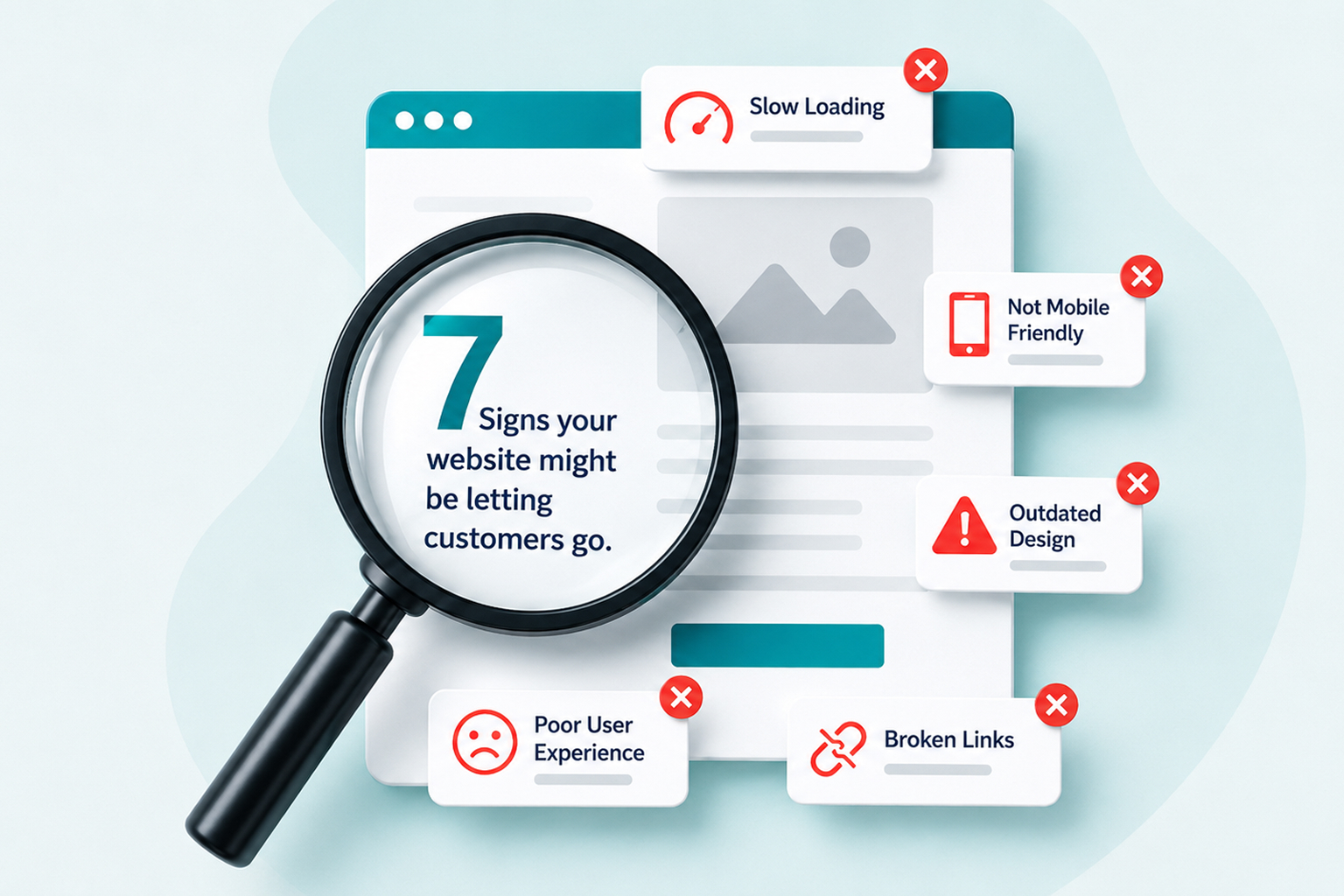
Your website might look fine. It might load. Your contact details might be correct. You may even be getting a reasonable amount of traffic. But is it actually helping your business win customers?
An underperforming website doesn’t always look obviously broken. In many cases, it quietly loses potential customers through slow loading times, confusing navigation, weak messaging, poor mobile usability, or simply failing to give visitors a compelling reason to take the next step. That makes the problem easy to overlook.
If your website has been running for several years without meaningful improvements, or your business has changed significantly since it was built, it may no longer be doing what your business needs it to do. Here are seven signs your website could be costing you customers—and what you can do about them.
1. Your Website Looks Outdated Compared With Your Competitors
Your website is often one of the first places a potential customer encounters your business. Before they call you, request a quote, visit your premises, or speak to your sales team, there’s a good chance they’ll look at your website.
And they’re probably looking at your competitors too. An outdated website can create an unfortunate disconnect. You might run an established, professional business with an excellent team and years of experience, but if your website looks like it hasn’t changed in ten years, that isn’t necessarily the impression a potential customer receives.
The issue isn’t about following every new web design trend. It’s about whether your website accurately represents the business you’ve become.
Common warning signs include:
- An old-fashioned or cluttered layout
- Small or difficult-to-read text
- Poor-quality imagery
- Inconsistent branding
- Navigation that has grown increasingly complicated
- Pages that don’t work properly on modern phones
- Services or information that no longer reflect the business
What Should You Do?
Look at your website from the perspective of someone discovering your company for the first time.
- Does it communicate professionalism?
- Can someone quickly understand what you do?
- Is it clear who you work with and why they should choose you?
- Does the website feel consistent with the quality of your actual business?
A redesign doesn’t need to change your identity. Sometimes the objective is simply to bring your online presence up to the same standard as the business behind it.
2. You’re Getting Website Traffic but Very Few Enquiries
This is one of the clearest signs that something needs attention. Getting more traffic isn’t always the answer. If hundreds or thousands of people are already visiting your website but very few become leads, sending even more people to the same experience may simply increase the number of opportunities being lost.
The problem could be your traffic quality, but it could also be the website itself. Visitors may not understand your offer. Your calls to action may be difficult to find. Your forms may ask for too much information. Important trust signals could be missing. Or your pages may simply fail to give people a strong enough reason to contact you.
Look Beyond Page Views
This is where website analytics and conversion tracking become particularly useful. Instead of only asking how many people visit your website, look at what happens afterwards.
- Which pages do they visit?
- How far do they scroll?
- Which buttons do they click?
- Where do they leave?
- Do mobile visitors behave differently from desktop visitors?
- Which traffic sources actually generate enquiries?
The answers can reveal whether you have a traffic problem, a website problem, or both.
What Should You Do?
Start by identifying the pages most closely connected to revenue: service pages, product pages, landing pages and contact pages.
Make sure each one clearly explains:
- What you offer
- Who it’s for
- Why someone should choose you
- What they should do next
A website shouldn’t make potential customers work to figure out how to become customers.
3. Your Website Is Slow
People are impatient online. When a website takes too long to load, visitors don’t know whether the problem is their connection, their device or your website. Many simply leave.
Website performance can also affect SEO, mobile usability, conversion rates and the effectiveness of paid advertising campaigns. WordPress websites can become slower over time as businesses add new plugins, larger images, tracking scripts, page-builder elements and additional functionality.
Common causes include:
- Oversized images
- Poor-quality hosting
- Excessive plugins
- Bloated themes
- Inefficient JavaScript and CSS
- Third-party tracking scripts
- Database bloat
- Incorrect caching
- Outdated software
What Should You Do?
Don’t immediately install another “speed optimisation” plugin. First identify what’s actually making the website slow. Tools such as Google PageSpeed Insights can help identify performance problems, while Core Web Vitals provide useful measurements of loading performance, responsiveness and visual stability.
Some problems are straightforward to resolve. Others require deeper WordPress speed optimisation at server, database or code level. The goal shouldn’t simply be a perfect performance score. The goal is a website that feels fast and responsive to real customers.
4. Potential Customers Can’t Find You on Google
Having a website doesn’t automatically mean Google will send people to it. Your website needs to be technically accessible to search engines, but it also needs useful content that matches what potential customers are actually searching for. If competitors consistently appear above you for commercially important searches, your website may have SEO problems.
These can include:
- Weak or thin service pages
- Poor website structure
- Missing or poorly optimised titles
- Duplicate content
- Technical indexing problems
- Weak internal linking
- Slow website performance
- No clear content strategy
- Pages targeting the wrong search intent
What Should You Do?
Start by determining whether your important pages are indexed and which searches currently generate impressions and clicks. Google Search Console is extremely useful for this. Then look beyond rankings. Are you targeting searches that potential customers actually make?
A first-place ranking for a phrase nobody searches—or one that attracts people who will never buy from you—has limited commercial value. Good SEO isn’t about getting more visitors at any cost. It’s about increasing your visibility when the right people are searching for what your business provides.
If WordPress is your platform, our WordPress SEO guide explains the technical, content and performance factors involved in building sustainable organic visibility.
5. Your Website Is Difficult to Use on a Phone
A website can look excellent on a large desktop monitor and still provide a terrible mobile experience. This matters because potential customers increasingly discover, research and contact businesses from their phones.
Common mobile problems include:
- Text that’s too small
- Buttons that are difficult to tap
- Forms that are frustrating to complete
- Menus that don’t work properly
- Images extending beyond the screen
- Pop-ups covering important content
- Excessive scrolling
- Slow mobile loading times
A particularly dangerous mistake is assuming that a website is mobile-friendly simply because the layout becomes narrower on a phone. Responsive design is about more than fitting content onto a smaller screen. The entire experience needs to make sense on that device.
What Should You Do?
Use your own website like a customer would. Don’t just open the homepage and check whether it looks okay.
Try to:
- Find a specific service
- Request a quote
- Complete your contact form
- Find your telephone number
- Read an article
- Navigate back to another section
- Make a purchase if you operate an online store
If any of those actions feel unnecessarily difficult, there’s a good chance customers are experiencing the same frustration.
6. Making Simple Changes Has Become Difficult
Your business changes. You hire people. Add services. Enter new markets. Change pricing. Launch products. Update processes. Your website needs to change with it.
If updating a telephone number, adding a service, publishing a landing page or changing basic content has become an ordeal, the underlying website may be holding your business back.
This is particularly common with older WordPress websites that have accumulated:
- Abandoned plugins
- Custom code nobody understands
- Outdated themes
- Multiple page builders
- Broken templates
- Unsupported integrations
- Years of temporary fixes
You may also find yourself avoiding changes because you’re worried something else will break. That’s a problem.
What Should You Do?
Before automatically rebuilding everything, have the existing website assessed. A well-built site may only need maintenance, technical cleanup or modernisation. In other cases, years of accumulated technical debt mean continuing to patch the existing website costs more than replacing it properly.
The important question isn’t:
“Can this website still be fixed?”
Almost anything can be fixed with enough time and money. The better question is:
“Is continuing to fix this website still the best investment for the business?”
7. Your Business Has Outgrown What the Website Can Do
This is perhaps the biggest sign of all. Many websites start life as digital brochures. You have a homepage, services, about page, contact form and perhaps a blog. That may be exactly what the business needs initially.
But businesses evolve. Eventually, you may need customers to log in, dealers to place orders, staff to manage information, suppliers to upload documents, systems to exchange data, or customers to complete processes online. Suddenly, the website isn’t just marketing anymore.
It’s becoming part of your operations.
You may need:
- Customer portals
- Dealer or franchise portals
- B2B ordering
- CRM integration
- ERP integration
- API connections
- Workflow automation
- Document management
- Custom dashboards
- WooCommerce functionality
- Automated notifications
- Secure account areas
Trying to force these requirements into a website that was never designed for them can create an increasingly complicated collection of plugins and workarounds.
What Should You Do?
Think beyond what your website does today.
Ask:
What could customers do themselves if the right system existed?
Which repetitive processes could be automated?
Which information is staff manually moving between systems?
Where are customers still emailing documents or spreadsheets that could be handled securely online?
Which parts of the customer journey create unnecessary administration?
At this stage, the conversation may no longer be about redesigning a website. It may be about developing a custom business system or integrating your website with the systems your business already uses. That’s an important distinction.
Does Your Website Need to Be Rebuilt—or Just Improved?
Discovering several of these warning signs doesn’t automatically mean you need a completely new website. Sometimes you don’t.
A fundamentally good website may only require:
- Speed optimisation
- Better service pages
- Technical SEO
- Improved conversion tracking
- UX improvements
- Updated design
- Better calls to action
- WordPress maintenance
In other situations, rebuilding becomes the better long-term investment. This is particularly true when the existing website has serious technical limitations, is difficult to maintain, no longer reflects the business, or can’t support the functionality you now require.
A good web development partner should be able to tell you the difference. You shouldn’t be sold a new website simply because a new website is more profitable for the agency.
Your Website Should Be Doing More Than Existing
A business website shouldn’t simply prove that your company exists. It should help potential customers understand what you do, establish trust, find the information they need and take the next step. For some businesses, that means generating enquiries. For others, it means online sales. And for increasingly digital businesses, it may also mean giving customers, dealers, employees or suppliers access to useful online tools.
The important question is:
Is your website helping the business—or has the business moved forward while the website stayed behind? If you’re not sure, that’s usually worth investigating.
Frequently Asked Questions
How do I know if my website is losing customers?
Warning signs include strong traffic but few enquiries, high abandonment rates, slow loading times, poor mobile usability and customers struggling to find important information. Analytics and conversion tracking can help identify where visitors are leaving.
How often should a business website be redesigned?
There isn’t a fixed number of years after which every website needs replacing. A website should be reviewed when it no longer represents the business accurately, performs poorly, becomes difficult to maintain or can no longer support your requirements.
Should I rebuild my website if it is slow?
Not necessarily. Website speed problems can often be resolved through image optimisation, caching, hosting improvements, database optimisation and code improvements. The cause should be investigated before deciding to rebuild.
Why does my website get visitors but no enquiries?
There can be many reasons, including low-quality traffic, unclear messaging, weak calls to action, poor mobile usability, confusing navigation or a complicated enquiry process. Conversion tracking can help identify where the problem occurs.
Is an outdated website bad for business?
It can be. If the website creates a weaker impression than the actual business, is difficult to use or contains outdated information, potential customers may question the company’s professionalism or choose a competitor.
Can my existing WordPress website be improved without starting again?
Often, yes. A well-built WordPress website can frequently be modernised through design, performance, SEO, content and development improvements. A technical assessment can determine whether improving or rebuilding represents better long-term value.
Not Sure What’s Holding Your Website Back?
You don’t necessarily need another website. You need to understand whether your current website is helping or hindering your business. At Swart Digital, we assess the bigger picture—from design, WordPress development and website speed to SEO, analytics, integrations and the customer journey.
If the existing website can be improved, we’ll help identify where those improvements will have the greatest impact. If the business has genuinely outgrown it, we can help plan what should replace it. Request a consultation and let’s identify what your website actually needs next.